
Extend the Life of Your Smart Home Devices
, 13 min reading time
, 13 min reading time
Discover essential tips to maintain your smart home devices for optimal performance and longevity. Ensure your gadgets serve you well for years to come.
Smart home technology offers convenience, but proper maintenance is key for longevity. This guide covers essential tips, including regular software updates, managing battery life, keeping devices clean, securing your network, and monitoring performance. Educate your family on device use and maintenance, and prepare for potential issues. Incorporate smart devices into your lifestyle for enhanced efficiency and quality of life.
Smart home technology has revolutionized the way we interact with our living spaces. From advanced lighting systems to smarter heating, the convenience brought by these gadgets is undeniable. However, keeping them in optimal condition is essential not just for functionality, but also for longevity. Whether you’re using a Hama remote control or other smart devices, proper maintenance can significantly enhance their lifespan. In this guide, we'll explore essential tips and tricks to maintain your smart home devices effectively, ensuring they continue to serve you well for years to come.
Before diving into maintenance tips, it's crucial to understand what smart home devices are and how they function. These devices often connect to your home Wi-Fi network, allowing them to sync with smartphones and other smart devices. This interconnectivity enables features such as remote access, automation, and energy management.
One of the simplest yet most effective maintenance practices for smart home devices is regularly updating their software. Many manufacturers release updates to enhance performance, fix bugs, and address security vulnerabilities. Always ensure that your smart devices are running the latest version to enjoy optimal performance.
Most smart devices let you check for updates through their apps. Here’s a quick guide to performing updates:
Regular updates not only improve functionality but also ensure that your device, including your Hama remote control, communicates effectively with other devices in your smart home ecosystem.
A considerable number of smart home devices rely on batteries. Managing battery life is crucial not only for functionality but also for the longevity of your devices. Here are some helpful tips:
If you have devices that you don’t use frequently, consider removing the batteries to prevent leakage that could damage your device over time.
Like any part of your home, smart devices benefit from a little cleaning now and again. Dust and dirt can accumulate on devices and affect their performance. Here are some essential cleaning tips:
Security is paramount in a smart home environment. An unsecured network could allow intruders to access your devices, manipulating the functionalities and possibly damaging them. Here’s how to keep your network secure:
For an added layer of security, consider using a Virtual Private Network (VPN) to encrypt your internet traffic when you access your smart home devices remotely.
Many smart devices need to connect to other appliances or networks. Ensuring that these physical connections remain intact is essential to device health:
Keeping an eye on the performance of your smart home devices can help identify problems before they escalate. Here’s what to monitor:
Many smart home systems come with apps that provide analytics about your devices. Use these tools to monitor and troubleshoot performance problems efficiently.
Even great devices need capable users. Educating yourself and your family about the functions and maintenance of your smart home devices is crucial. Conduct regular family meetings to cover:
No matter how well you maintain your devices, there may come a time when something fails. Planning for repairs or replacements can save headaches later. Consider these tips:
There are various tools available that can assist in the maintenance of your smart devices:
Finally, the key to maintaining smart home devices lies in integrating them seamlessly into your daily life. Ensure that these devices are not just tools but extensions that enhance your lifestyle. From using your Hama remote control effectively to integrating routines for better energy management, make the most of your smart home technology.
By incorporating systematic maintenance and adopting smart practices, you can assure that your investment in technology yields an improved quality of life, convenience, and efficiency. Enjoy your smart home while knowing you’ve taken every measure to nurture its longevity!
| Term | Meaning |
|---|---|
| Smart Home Devices | Connected gadgets that enhance home automation and management. |
| Smart Lights | Lighting systems controllable via apps or voice commands. |
| Smart Thermostats | Devices for efficiently managing home temperature. |
| Software Updates | Regular updates to improve performance and security. |
| Battery Management | Practices to extend the life and performance of device batteries. |
| Network Security | Measures to protect smart devices from unauthorized access. |
| Surge Protectors | Devices that prevent damage from power surges. |
| Monitoring Tools | Apps or devices used to track performance and health of smart devices. |
| Cleaning Kits | Specialized tools for maintaining the cleanliness of electronics. |

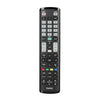
The Hama Universal TV Remote Control for Samsung offers a convenient replacement option for Samsung TV owners, featuring pre-set codes for immediate use and adjustable settings for less common models. Its ergonomic design and luminescent buttons ensure easy navigation in any lighting, while the energy-saving function helps prolong battery life. Additionally, the remote's learning mode allows users to transfer functions from their original remote, making it a versatile choice for managing your entertainment system.
View Product

